
Agentforce is transforming the Salesforce ecosystem, helping teams activate and implement their digital workforce. With a suite of out-of-the-box sales agents, customer service agents, commerce agents, and personal shopper agents, teams can use AI to complete repetitive tasks, troubleshoot customer queries and even support your sales reps with real-time call coaching.
But before any of that value lands, you need to build the agent. This guide walks you through everything you need to get started in Agent Builder.
What is Salesforce Agentforce?
Agentforce is an AI-powered suite of virtual agents that have been built to make life easier for all teams using and building on Salesforce. These agents find the right information faster, automate responses to common questions, and improve the overall customer experience by preempting customer pains and queries.
By pulling in relevant structured and unstructured data from multiple data sources, including other platforms you integrate with, agents make sure that users (and customers) get the most accurate responses without a team member having to dig through the information manually. This not only helps manage internal processes more effectively but also streamlines workflows across teams.
Who can benefit from using Agentforce?
Agentforce can help with a range of customer interactions and internal business processes. It’s especially useful for:
- Customer service teams to speed up response times and reduce repetitive work by efficiently handling customer inquiries.
- Support teams to provide instant access to troubleshooting guides and case histories.
- Sales teams to help surface relevant customer insights during live sales calls.
- Operations teams to automate workflows and reduce manual data entry.
- Development teams to automate repetitive tasks and free up developers to focus on solving other challenges and delivering high-quality solutions to their end-users faster. With 37% of Salesforce professionals set to improve their AI implementations this year, a streamlined deployment process is key to keeping pace.
TDX
Key components of an Agent
Every Agentforce agent comes with built-in parameters that define its job and available actions.
- Topic: An agent’s purpose. This defines the job to be done and the broader goals the agent should achieve on your team.
- Knowledge: The data an agent needs to be successful. This could include company knowledge articles, CRM data, external data via Data 360, public websites, and so on.
- Actions: The goals an agent can fulfill. This is the predefined task an agent can execute to do its job based on a trigger or instruction. For example, it could run a Flow, prompt template, or Apex. These actions can be configured using the low-code Agent Builder tool to ensure the agent performs its tasks accurately.
- Guardrails: The guidelines an agent can operate under. These can be writing natural language instructions telling the agent what it can and can’t do, when to escalate to human employees, or could come from built-in security features in the Einstein Trust Layer.
- Channels: The applications where an agent gets work done. This can be your website, CRM, mobile app, Slack, etc.
Where does Agentforce pull data from?
Agentforce connects to different parts of your Salesforce setup, and third-party integrations, to deliver helpful, real-time responses. Here’s where it gets its information:
- Salesforce Knowledge Base: Gives the agent access to company information and FAQs stored in Salesforce, making it easier to provide detailed, accurate answers to customer questions. (e.g. What is your HQ address?)
- CRM data: Pulls in customer account details like order history, contact information, and open cases so the agent can provide personalized responses. (e.g. Can I reorder the same product as previously?)
- Data 360 (optional): If you’re using Salesforce Data 360, Agentforce can use both structured and unstructured data — including real-time customer interactions and purchases — to make its responses even more relevant. (e.g. What address do you have on file for me?)
- Custom Integrations: Need data from another system? You can connect Agentforce to external tools using APIs or pre-built connectors to pull in whatever extra info your agents need. Plus, you can incorporate custom AI models to enhance functionality and provide more intelligent responses. (e.g. When is my parcel expected?)
What are the Agentforce metadata types?
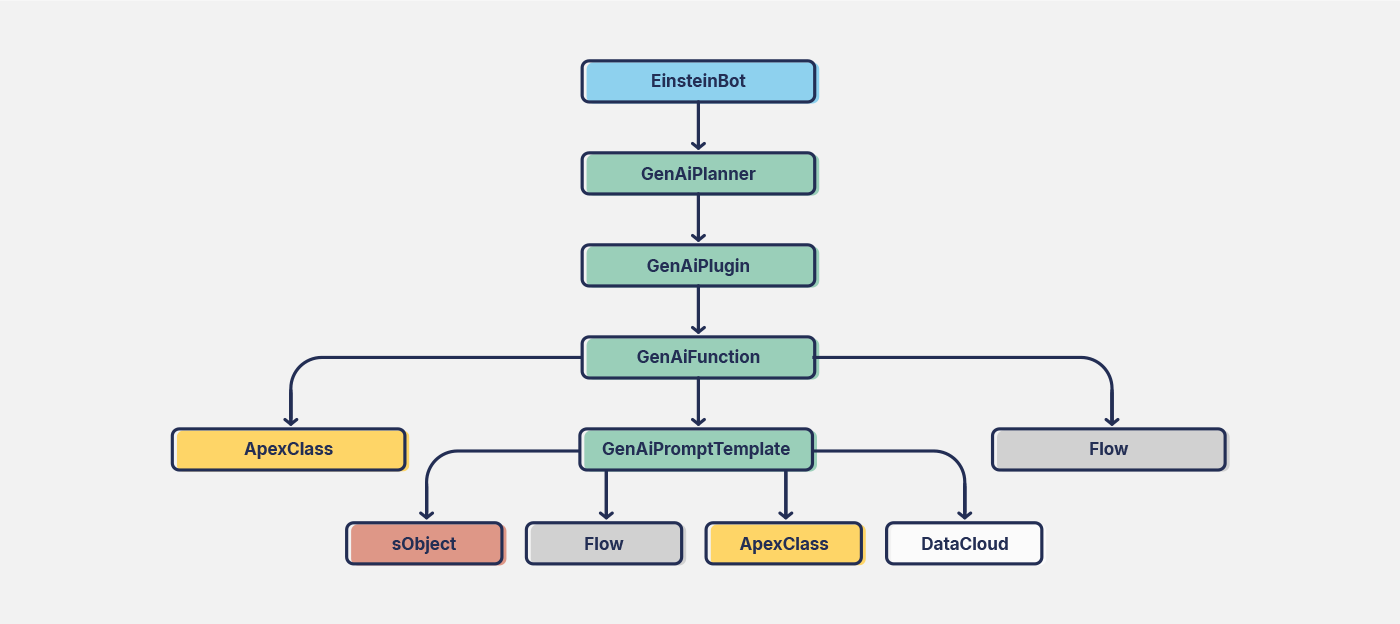
Agentforce is built on a structured metadata framework that enables the agents to function. Salesforce introduced Agentforce (GenAi) metadata types in the Winter ’25 release — these metadata types are supported by version 60 or higher of the Metadata API. These metadata types define how agents reason, retrieve data, and interact with users:
- GenAi PlannerBundle (Agent): Defines an AI agent’s reasoning strategy, breaking tasks into subtasks and determining the best actions to execute.
- GenAi Plugin (Topic): Topics are the related actions and instructions that guide the agents on their own specific subjects or job function.
- GenAi Function (Agent Action): Specifies individual actions AI agents can perform, including data retrieval, record updates, and external service calls.
- GenAi Prompt Template (Prompt Template): Structures AI-generated prompts to ensure consistency and relevance in agent responses.
- AiEvaluationDefinition (Agent Test Suite): Your agent relies heavily on data, so over time this can cause the agent’s responses to ‘drift’. Creating a test suite for the agent will check that it is performing exactly as expected.
How to enable Agentforce in your orgs
Setting up Agentforce in your Salesforce org is pretty simple. There are just a couple of settings we need to make sure are on before we start building our agents.
Enable Agentforce in Setup
- From Setup search for Einstein Generative AI and select Einstein Setup.
- Click the Turn on Einstein toggle.
- Return to Setup and refresh the page. Search for Agentforce Studio.
- Click Agentforce Agents under Agentforce Studio and toggle on Agentforce in the top right.
Option to activate custom AI models: Navigate to the Model Builder section and register your custom AI models to enhance the intelligence of your agents. This allows you to incorporate large language models and custom configurations, tailoring your solutions to specific needs.
How to build an agent using Agent Builder in Salesforce
Before you start, it’s important to build your Agent in a sandbox first, test it, and then deploy it to your production org. There are many different settings available to fine-tune your agents, but the high-level steps are similar for any agent creation.
Let’s build an Agentforce Service Agent using Agent Builder — the agent will be responsible for troubleshooting a range of user queries.
Select the type of agent
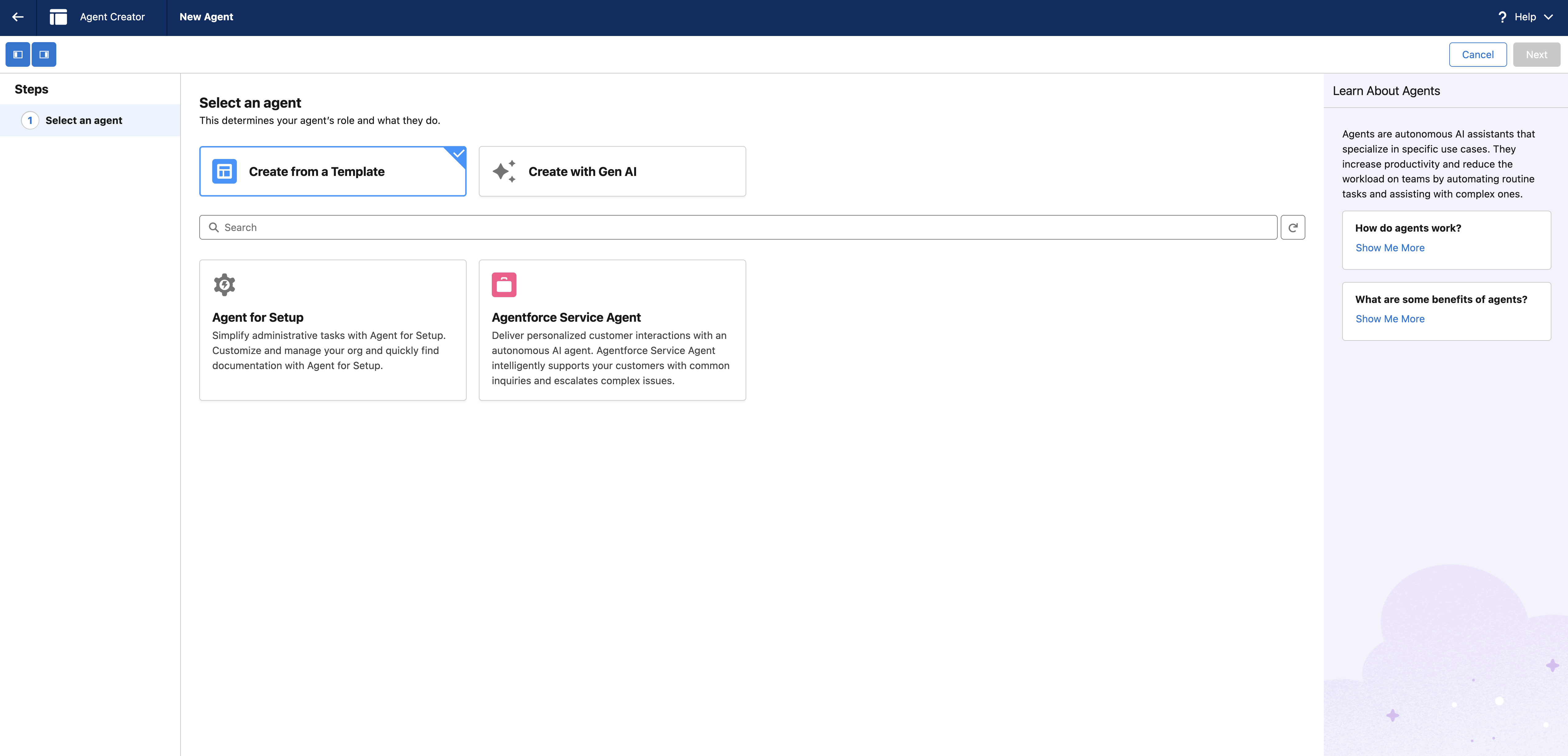
From Setup navigate to Agentforce Agents. Click New Agent and then choose the type of agent you want to create, for example, Service Agent. You can create an agent from a template or create one with Gen AI.
Add agent topics
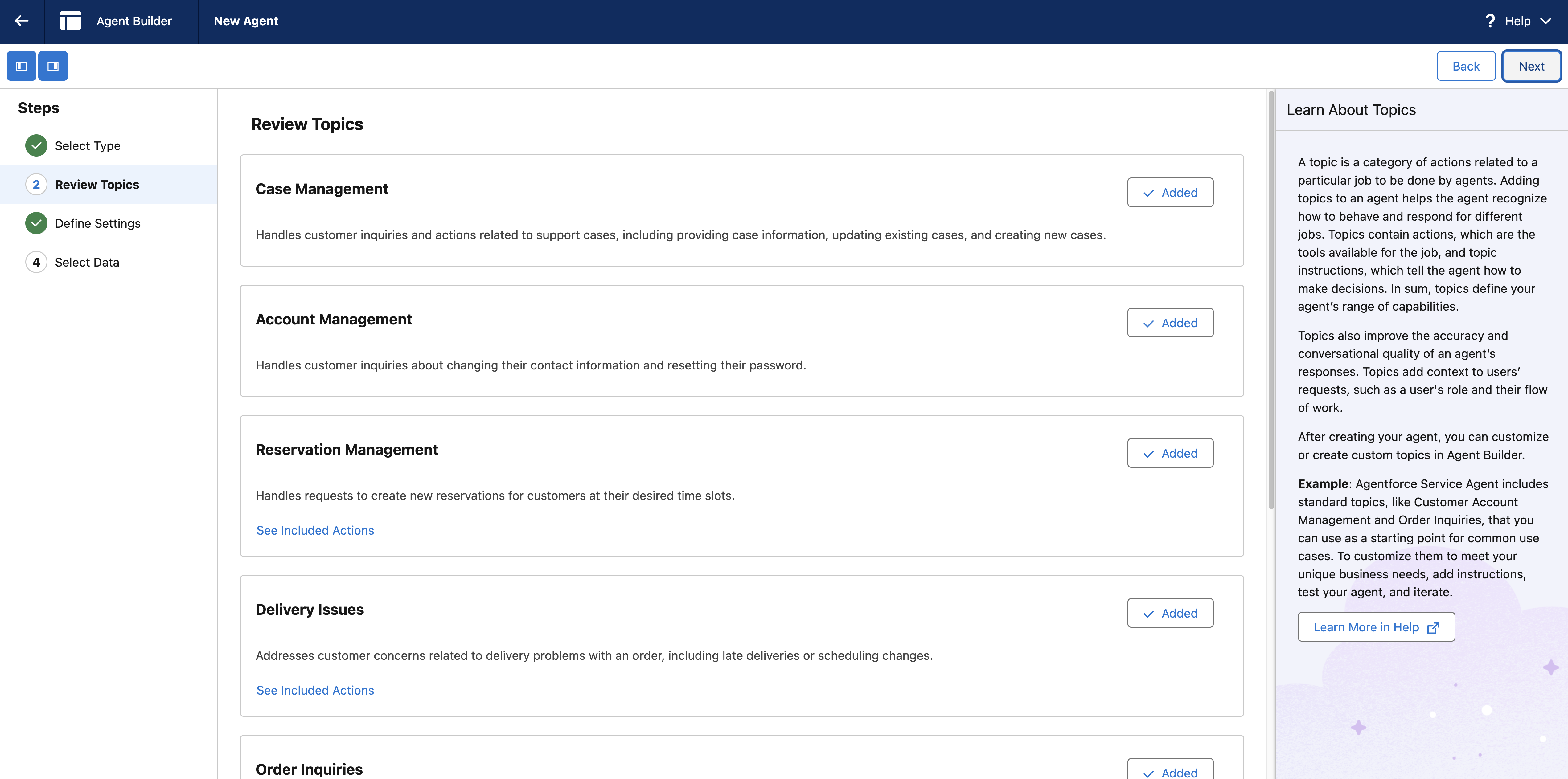
Consider what you want the agent to handle and identify the main topics or categories of questions it will answer (e.g., Case Management, Delivery Issues, FAQs). Click Next.
You can also use the Prompt Builder to create tailored prompts that guide the agent’s responses to specific topics. The Atlas Reasoning Engine then evaluates the available actions based on the prompt and determines the next best step.
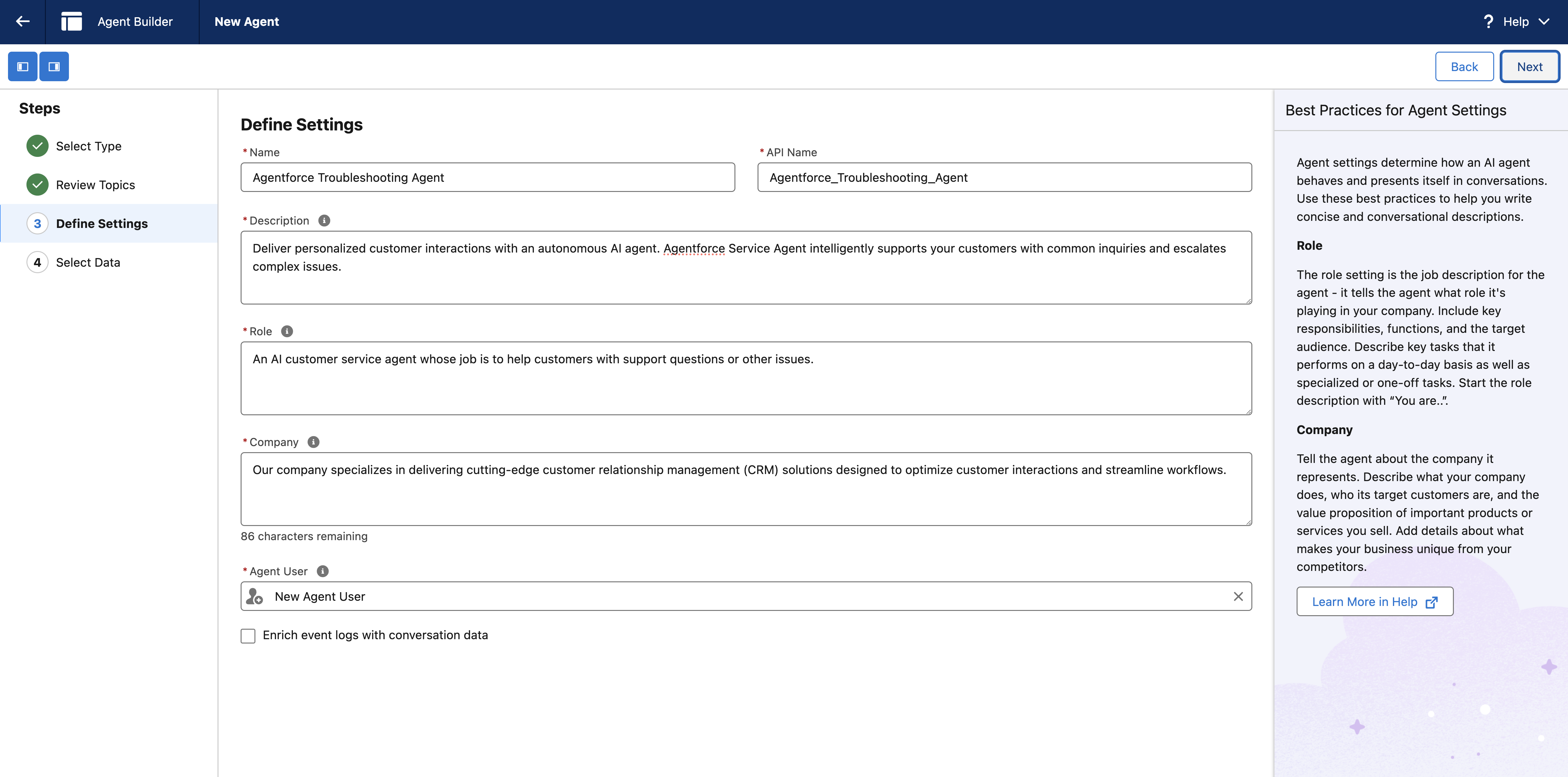
Define agent settings
Configure the basic settings of your agent including a name, description, the role of the agent, and some basic company details. These settings allow you to deploy AI agents tailored to your specific needs.
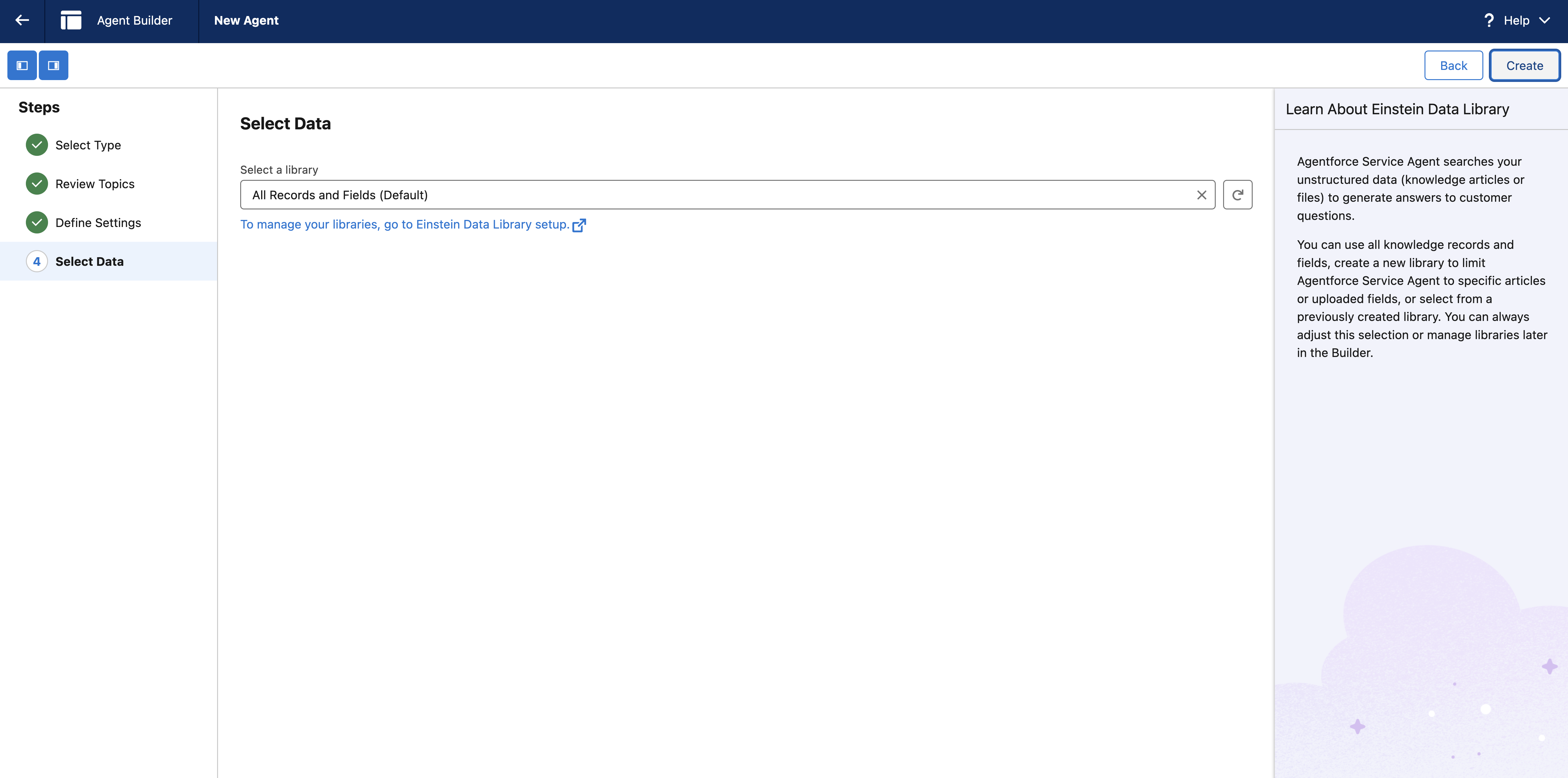
Select your data
Connect your agent to relevant data sources. Ensure all data sources are securely connected and apply filters to retrieve only relevant information for specific queries.
Test your agent
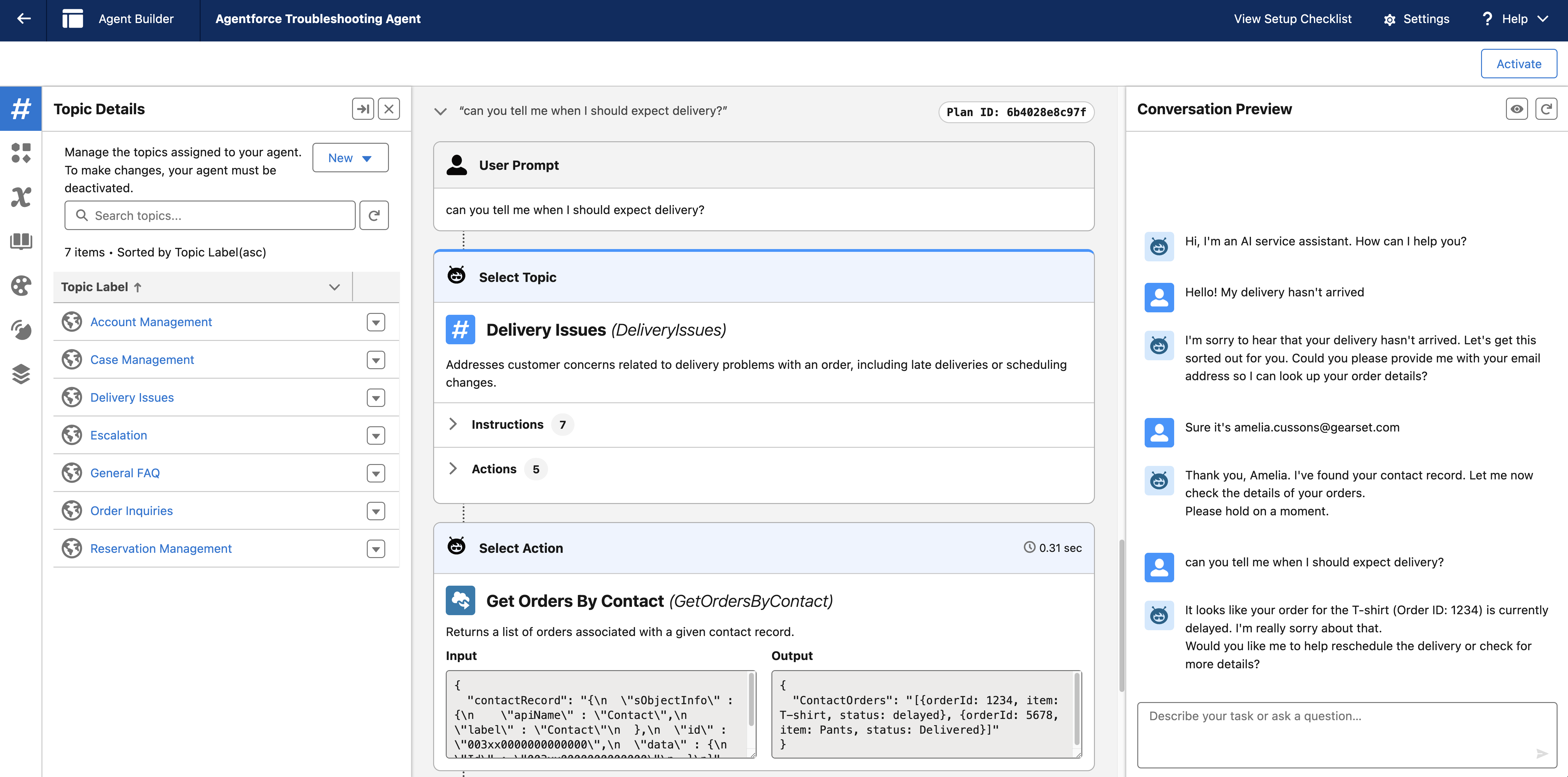
Testing your agent is a critical step in the build process. Once your agent is in production, you need to ensure it performs as expected. Since manual testing can’t cover every possible scenario, Agentforce Testing Center enables you to regression test your agents by automatically generating hundreds of test cases.
To manually test, go to the Preview Window. Start a conversation by typing sample customer questions to see how the Agent responds. Test various scenarios to ensure your agent provides accurate answers.
To test your agent at scale, click Batch Test. This will open the Agentforce Testing Center. Name your test, and then either upload your test cases as a .csv or click Generate Test Cases to have Salesforce provide the tests for you. Click Save & Run. Once your cases are generated, click Run Tests (you might need to refresh your browser a couple of times in the process).
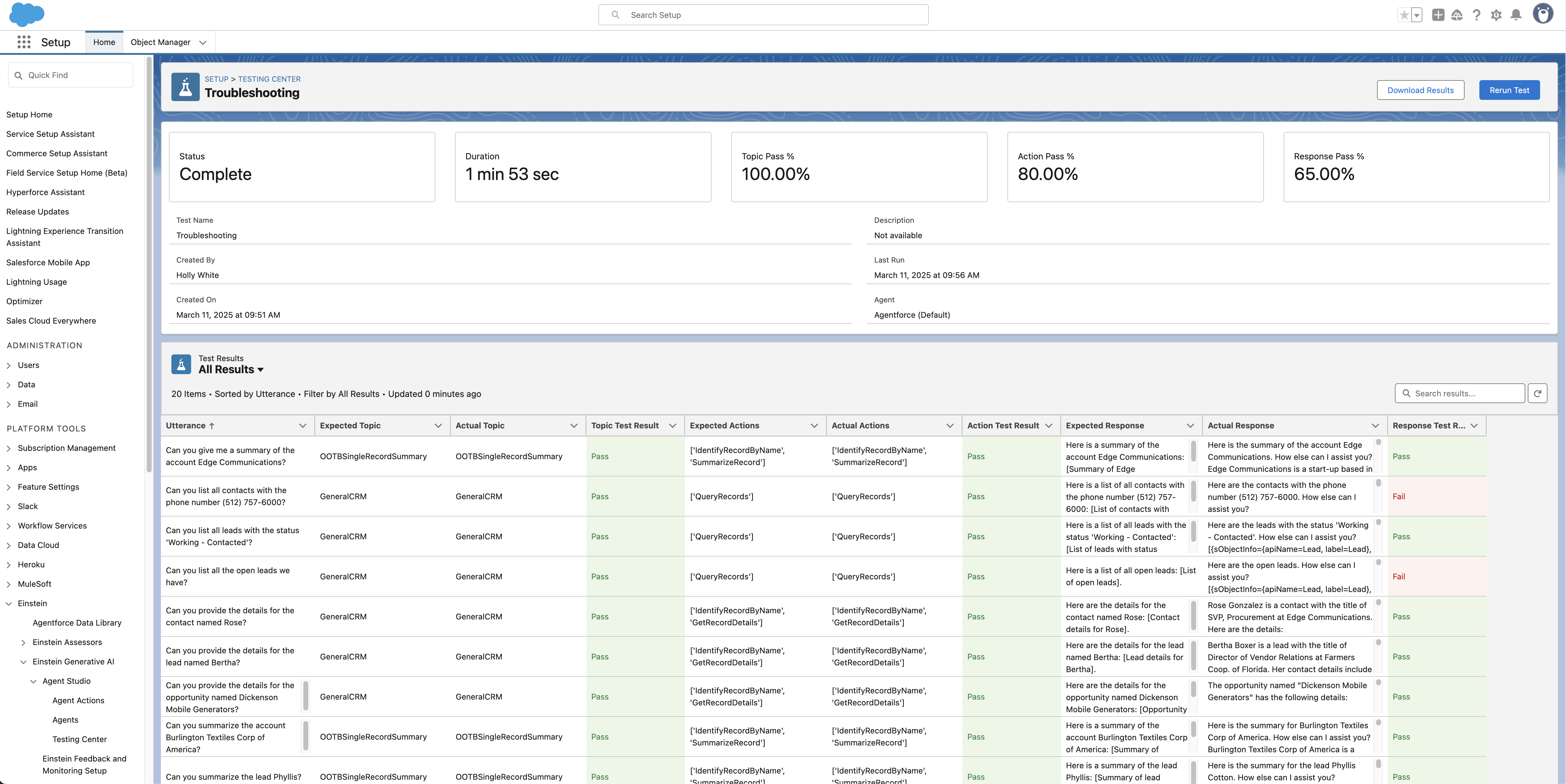
When you’re testing is complete, head back to Agent Builder tab and click Activate to enable the agent.
Finish building your agent
The new agent will have a user profile associated with it, but it will need additional permissions added to ensure it can access the data it needs while keeping sensitive information secure. You can do this by going back to your org and using the Quick Find box to search Users and then selecting your agent.
Once you’re finished building your agent and tests, it’s time to deploy them from your sandbox to your production environment.
How to deploy an agent using Gearset
Building your agent is just the first step — by using DevOps processes to deploy your Agentforce metadata you’re able to deliver agents quickly without compromising security. With Gearset, you can confidently move and test your Agentforce agents, from sandbox to production, in just a few clicks, delivering value to users and customers rapidly and safely. Want to give it a try? Sign up for a free 30-day trial now.

