

Although Salesforce teams understand the importance of different types of testing, UI testing often gets abandoned — it takes more effort to set up than unit testing, needs more maintenance than most teams anticipate, and has historically required technical expertise.
The result is that UI testing gets treated as optional. Teams do manual regression testing instead, or skip it altogether when deadlines tighten. But when something breaks in production, the cost of not having caught it earlier becomes very visible, very quickly.
In this post, we’ll look at why UI testing is a critical part of a Salesforce testing strategy and what makes it particularly difficult to implement without the right tools. We’ll cover best practices for building a UI test suite, and how Gearset’s AI-powered Automated Testing makes automated UI testing accessible to any Salesforce team.
The importance of UI testing for Salesforce
Unit testing and code coverage get a lot of attention in Salesforce development, partly because Salesforce mandates a minimum of 75% Apex coverage before any production deployment. That requirement has shaped how many teams think about testing, with many teams prioritizing unit testing over other types of tests, to avoid being blocked from deploying to production.
But while unit tests validate backend logic, they don’t validate frontend behavior. And unit tests only cover your Apex classes. A Flow that runs as expected when executed in isolation can still produce the wrong outcome when a user triggers it through the UI with a specific set of permissions, or when it interacts with a validation rule that was added three sprints ago. These are the failures that reach production, are very visible to the business, and generate an influx of support tickets.
UI testing checks that the workflows your users depend on actually behave as expected when someone moves through them in a live org. This includes checking that the right fields appear for the right profiles, that a Screen Flow renders correctly and submits the expected data, that a button triggers the right action for a given record type, and more. These are the type of behaviors that unit tests can’t reach, requiring testing at the interface level.
The challenges of Salesforce UI testing
Although the importance of UI testing is clear, Salesforce presents a specific set of challenges that make UI test automation significantly harder than it would be for a standard web application. Understanding these challenges is useful context — both for teams evaluating whether to invest in UI testing, and for teams who have tried and found it harder to maintain than expected.
Technical challenges of UI testing for Salesforce
The Salesforce platform’s Lightning interface is built on a deeply nested component structure where UI elements are often wrapped in multiple layers, making it difficult for test automation tools to reliably locate and interact with them. Salesforce also uses Shadow DOMs — a web standard that encapsulates components so their internal structure is hidden from the outside — which creates additional barriers for tools that rely on directly accessing page elements.
Dynamic element IDs compound this further. Salesforce generates temporary identifiers for UI components that change between environments, meaning tests written against specific element IDs will fail when those identifiers are regenerated. And because Salesforce ships three major releases every year, even a well-maintained test suite will encounter breaking changes regularly. Layout adjustments, component updates, and structural changes to how pages load can all cause previously stable tests to fail.
The net effect is high maintenance overhead. Teams that invest time in building a UI test suite often find they’re spending significant amounts of time repairing tests after each release. For teams without dedicated automation engineers, that overhead becomes unsustainable quickly — and UI testing gets deprioritized as a result.
Organizational challenges of UI testing for Salesforce
Technical complexity is only part of the story. For many teams, the more significant barriers to UI testing are organizational.
For most Salesforce teams, the responsibility for testing is shared across developers, admins, and release managers who are also responsible for active development. Up against the immediate pressure of sprint deadlines, the time needed to set up and maintain a test automation suite can be hard to justify.
Some teams try to tackle this by assigning a member of the team to manage testing. But if one developer or automation engineer owns the test suite, they become a single point of failure. If they’re away or leave the team, testing becomes an instant bottleneck or breaks down entirely.
Add to that the fragility of Salesforce UI test automation many teams experience. When Salesforce releases, org configuration changes, or dynamic elements regularly break the tests, teams stop trusting them. False positives erode the value of the whole system. Teams start ignoring failures, skipping test runs, or abandoning the test suite altogether.
So the technical overhead and the organizational resistance reinforce each other, and UI testing becomes one of those things that everyone agrees is important but nobody has the capacity to do well.
Best practices for implementing Salesforce UI testing
The teams that implement and maintain effective UI testing suites do so by following some key best practices and strategies.
- Start with your most-used user journeys. When you start to build your UI test suite, focus on your highest-traffic, most business-critical paths, such as quote creation, case submission, and order processing. This makes sure you’ve introduced coverage where failures are most visible and most costly, building confidence in the test suite before you start dealing with edge cases.
- Test as real users. A common mistake in Salesforce UI testing is running tests under a system administrator profile, which bypasses permission settings that can cause access issues and broken screens for users in production. Tests should reflect the actual profiles your users work under.
- Prioritize which tests run. Running a full UI test suite on every single change is often impractical and time-consuming. Being able to run specific tests on-demand allows for rapid feedback during development. The ability to schedule groups of tests to run alongside that means you can maintain structured regression coverage across releases without making test execution a bottleneck on every deployment.
Gearset’s AI-powered UI test automation, built for Salesforce
The UI testing tools available to Salesforce teams broadly fall into two categories: generic automation frameworks that aren’t built to handle Salesforce’s specific quirks reliably, and Salesforce-specific tools that do handle the platform complexity but need to be integrated separately with your release pipeline. Either way, configuring and maintaining automated testing competes for time with active development — and often gets deprioritized as a result.
Gearset’s Automated Testing is Salesforce-specific UI test automation built into your release pipeline. Using AI at the foundation of how tests are created and maintained, and with the Gearset Agent embedded for natural language questions and assertions, Automated Testing with Gearset is accessible and reliable without needing specialist resource or overhead.
AI-driven accessibility for the whole team
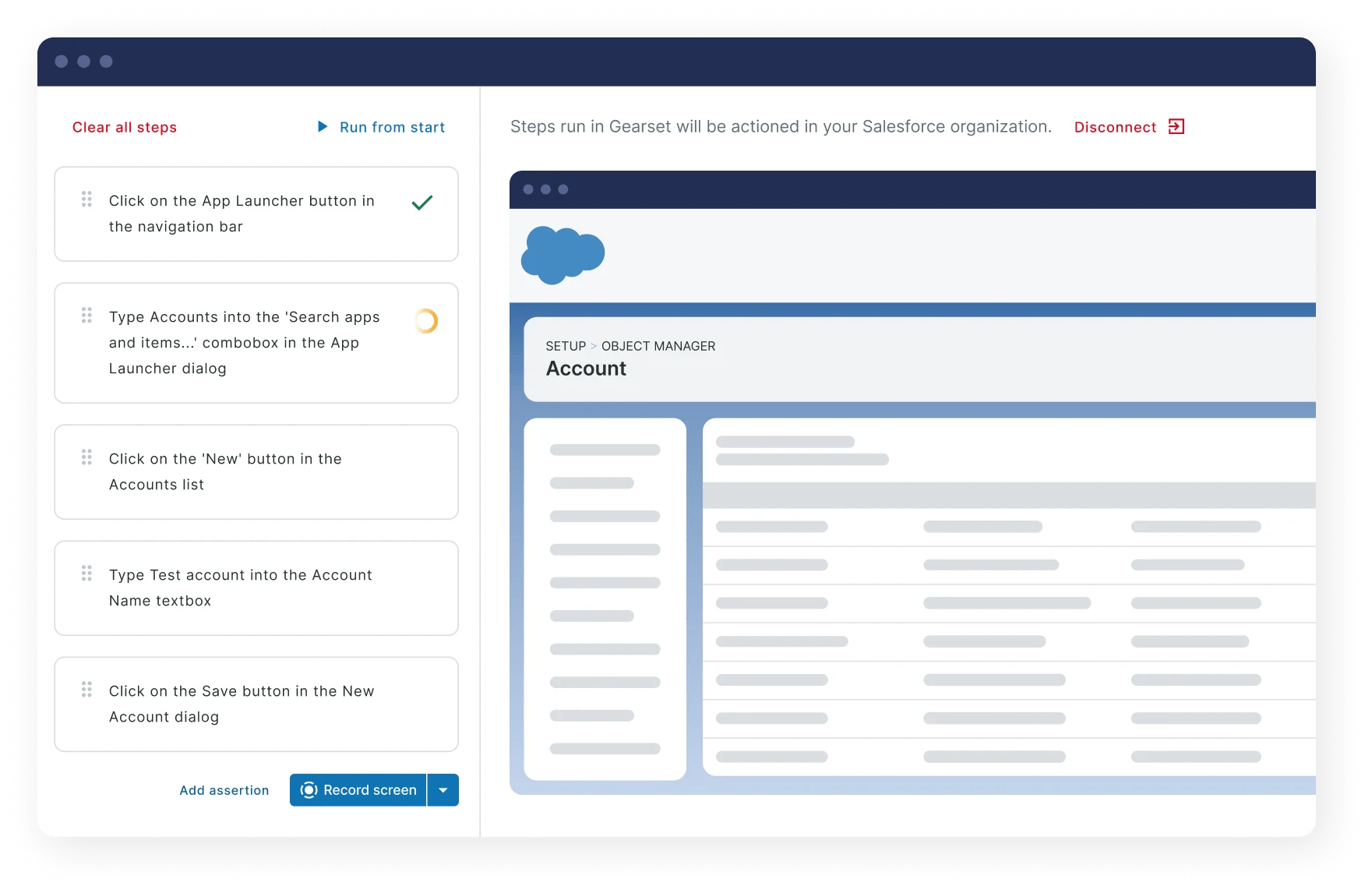
Test creation doesn’t require scripting expertise. Low-code test creation means anyone can build tests using recorded click-paths through expected behavior and natural language prompting. AI translates these inputs into automated tests without the user needing to script anything. That means any member of the team can easily get involved in test creation regardless of experience.
Test resilience with AI-powered self-healing
With three major Salesforce releases each year, the brittleness of automated UI testing is one of the biggest reasons adoption stalls. Gearset’s AI-powered automation is resilient to Salesforce releases, adapting to UI changes to keep maintenance overhead down and coverage intact between releases.
Built specifically for Salesforce
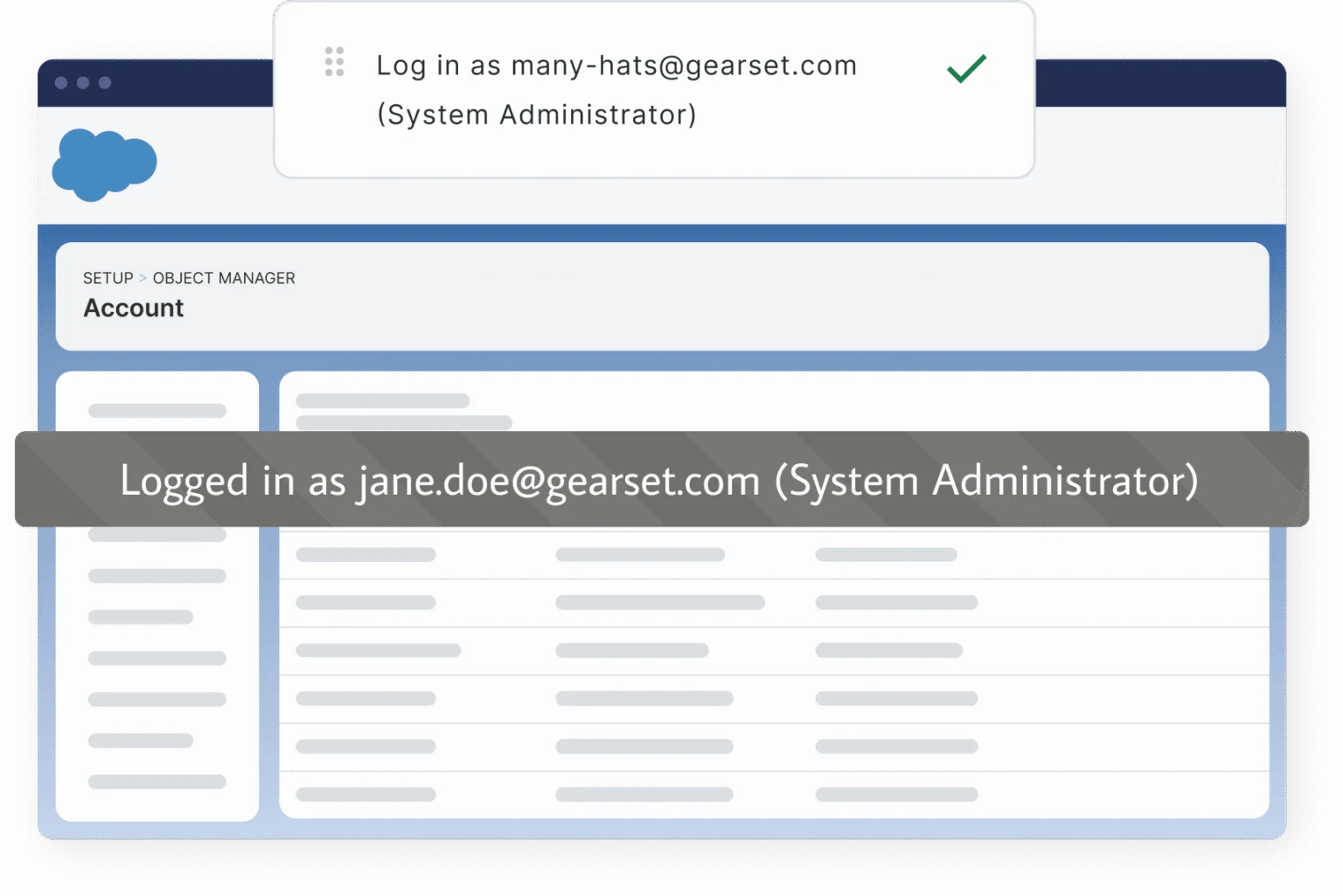
Generic testing tools struggle with the Salesforce platform. Gearset’s testing is designed specifically to handle Salesforce-specific challenges reliably, including Lightning components, Shadow DOMs, validation rules, permission-based user flows, and the behavioral differences between orgs. Plus, tests run under real user profiles and permission sets, catching access issues and workflow failures that admin-level testing would miss.
Integrated into your DevOps pipeline
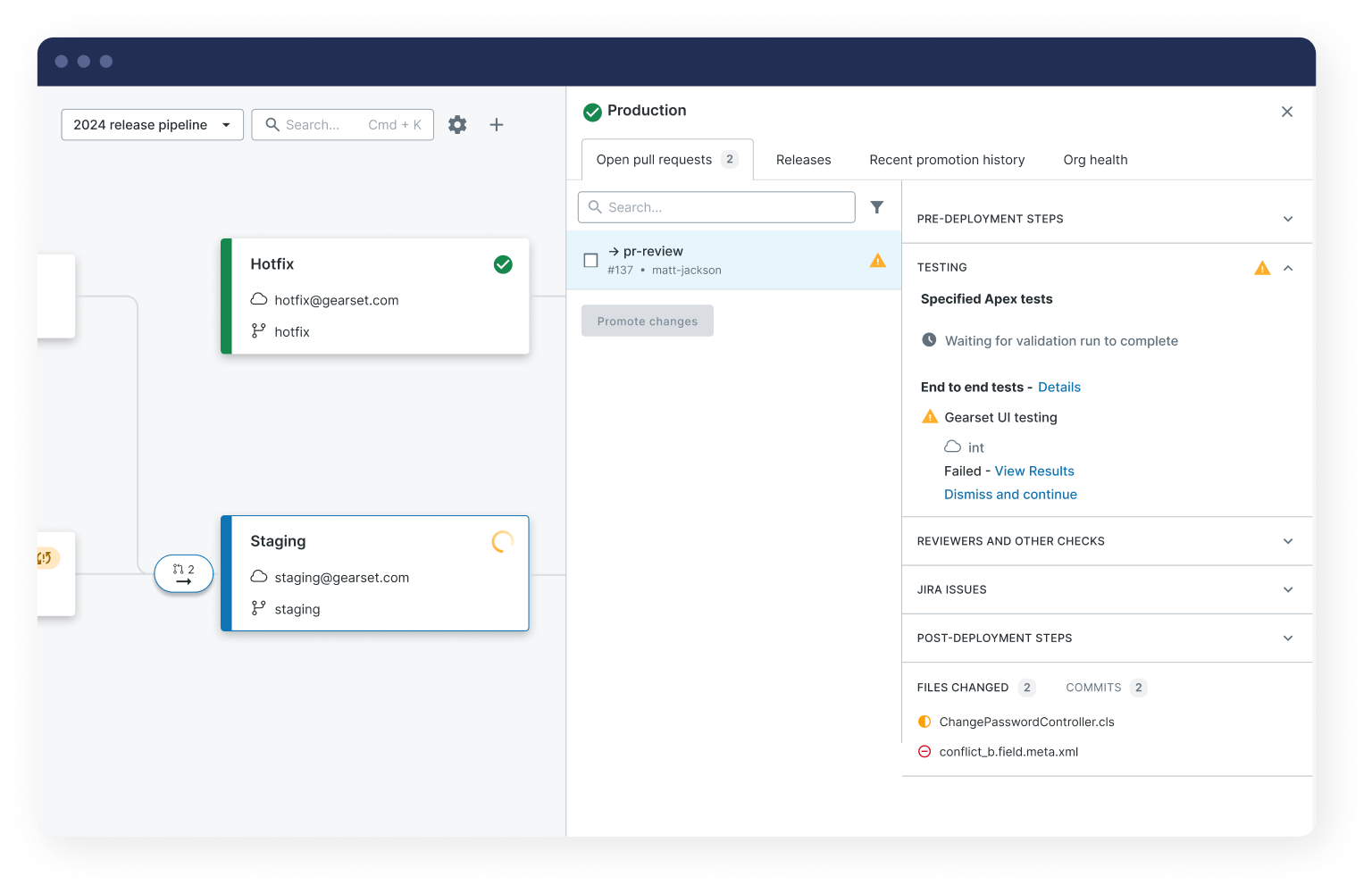
Testing is built into the Gearset platform rather than operating as a separate tool. Tests run automatically as part of Gearset Pipelines, with customizable gating to block promotion of changes that fail tests. Integrations with Jira and Azure DevOps mean failures are linked directly to the work items that caused them, giving visibility across the team. The result is a continuous feedback loop on every change.
Automated UI testing you can rely on
Manual testing doesn’t scale, and generic test automation tools weren’t built for Salesforce’s complexity. Gearset’s AI-powered automated testing solution gives any member of your team the ability to build, run, and maintain reliable UI tests that integrate directly into your release pipeline, so your team can catch issues early, iterate quickly, and release with the confidence that the changes will perform as expected in production.
Speak to one of our DevOps experts to find out how to implement reliable test automation that works for your team, or try it hands-on with a free 30-day trial.

