

UAT is supposed to be the final validation gate before a release goes to production. In practice, it’s often where features end up stalling.
Features that took weeks to build sit in review while stakeholders debate whether they look right. Test cycles drag past their deadlines. Work gets abandoned, or ships with problems nobody caught. And then the same issues show up in the next cycle, and the one after that. The State of Salesforce DevOps (SOSFD) 2026 report echoes this, finding that testing bottlenecks are the most common barrier to scaling Salesforce delivery, cited by 38% of teams.
The frustrating part is that most Salesforce UAT failures have nothing to do with testing. They’re planning failures that sit much further upstream. This post covers where those failures typically happen in Salesforce teams, what good practice actually looks like, and how to give your team the visibility and structure they need to test with confidence.
What is UAT in Salesforce?
User Acceptance Testing (UAT) is the testing phase where the business validates that a change does what it’s supposed to do from the perspective of the people who’ll actually use it. It’s the last meaningful check before deployment to production.
UAT isn’t just a term that covers all testing that happens before release. It has a distinct purpose that makes it different from other types of testing. Unit testing checks whether an Apex class works in isolation, integration testing confirms it plays nicely with related components, functional testing verifies that the system behaves according to its technical specifications, and regression testing validates that nothing existing has broken. UAT is the final check that everything works as expected for the actual end users.
In Salesforce, this distinction is easy to blur. Due to the platform’s declarative nature, business logic and user interface (UI) are deeply intertwined, so technical checks (e.g. “Does the field save?”) look and feel exactly like business checks (e.g. “Is this field in the right spot for the user?”). And with pressures to move fast, developers or admins often treat UAT as an extension of their final checks to catch minor errors, rather than a distinct gate designed for business sign-off.
Salesforce DevOps in the age of AI: is your custom pipeline ready?
Where Salesforce UAT goes wrong
Even teams that understand what UAT is supposed to do often struggle to execute it well. These issues show up again and again, and they compound.
Opinion-led testing
Without defined acceptance criteria, UAT becomes a conversation about preferences rather than business requirements. One stakeholder says it doesn’t look right. Another thinks it should work differently. The developer pushes back. It means nobody can point to an agreed standard, so the feedback loop stalls. Changes get made, re-reviewed, and questioned again — not because the feature is broken, but because there was never a clear definition of what “done” looked like.
Acceptance criteria tend to exist at the feature level but rarely get written for the end-to-end business validation that UAT is actually testing. It’s one of the most common causes of delay in Salesforce UAT cycles, and it’s almost entirely avoidable.
No clear ownership
UAT frequently lands with the wrong person or no single person at all. Developers are asked to validate their own work, which defeats the purpose. Business stakeholders are looped in at the last minute with no context and no time set aside. Release managers, who are already stretched across three other things, get handed responsibility by default.
Responsibility for UAT becomes diluted without a named owner to coordinate the process. Test cases don’t get written because it’s nobody’s job to write them. Feedback comes from whoever happens to be available, rather than the people with the right context to give it. And when something goes wrong or gets missed, there’s no clear line of accountability to follow.
Abandoned work
UAT takes time. And that time is often borrowed from people who have other priorities. When UAT drags, the cost of that borrowing becomes visible. Testers become unavailable. Business priorities shift. The original request, raised months ago, no longer reflects what the business actually needs.
The result is work that gets abandoned mid-cycle, or pushed to production in a half-validated state just to close it out. Neither outcome is good. Both are symptoms of a process that treated UAT as a single event rather than something that needs to be planned for from the moment a change is scoped.
Blanket testing
Running the same test script across every change, every environment, every time might feel thorough, but it’s actually just time-consuming, often done in the wrong places, and leaves you blind in others.
Not all changes carry the same risk. A tweak to a picklist label doesn’t need the same test coverage as a new automation touching your entire opportunity management cycle. When teams don’t scope their testing to the actual change — what it touches, what depends on it, what could break — they end up testing the wrong things and missing the right ones. The result is a false sense of coverage, not real confidence.
No time built in for failure
UAT is treated as a formality in too many release plans. It sits at the end of the timeline, after everything else has taken longer than expected, with just enough room to go well — and no room at all to go badly.
But UAT exists precisely because things go wrong. Finding a defect isn’t a failure of the UAT process; it’s the process working. The problem is when there’s no time to fix what’s found, re-test, and get proper sign-off before the release window closes. Teams end up making a choice between shipping something they’re not confident in or blowing the deadline. Neither should be the answer.
Poor test data
Even well-scoped UAT can fail if testers don’t have realistic data to work with. A sandbox populated with minimal or synthetic records won’t surface the edge cases that matter: unusual field combinations, records outside normal validation boundaries, high-volume scenarios that expose performance issues. Testers end up validating against conditions that don’t reflect the production environment, which means problems slip through that only show up once real business users are involved. According to Gearset’s SOSFD 2026 report, 26% of teams cite unrealistic or unreliable test data in lower environments as a barrier for them.
The downstream effect
Each of these problems on its own is manageable. Together, they add up to something more damaging: environments that drift out of sync, orgs that no longer reflect production, and a growing gap between what’s been tested and what’s actually running. The business cost to stalled UAT is evident in the SOSFD 2026 report, with sandbox and production drift being a delivery blocker for 31% of Salesforce teams.
That gap doesn’t stay static. Every untested change that goes to production makes the next UAT cycle harder — because now there’s more unknown in the baseline. Over time, teams stop trusting their sandboxes, which makes UAT feel even more uncertain, which makes teams more likely to cut corners. It’s a cycle that’s difficult to break without addressing the root causes.
What good UAT looks like in Salesforce
The problems identified above are all planning failures, not testing failures. So the secret to success is building the right foundations for your testing strategy before UAT starts.
Start with business analysis, not test cases
The most important work in UAT happens before a single test case is written. Identify your critical flows — the end-to-end processes that the business relies on — and map how a proposed change intersects with them. Which user journeys does this touch? What are the expected inputs and outputs at each step? Where are the edge cases? Without that foundation, you’re writing test cases in the dark.
Map your dependencies before you scope your tests
Use dependency mapping to turn your test scope from a guess into a plan. Understand what a change will touch across the org, which components are involved, which related processes need re-validating, and where the highest-risk areas are. That tells you what actually needs to be tested, and gives you the confidence to leave everything else out.
Define acceptance criteria before development starts
Write acceptance criteria at the point a change is scoped, rather than after it’s been built. Tie them to specific business use cases with clear pass/fail conditions. You want to aim for a tester, who wasn’t involved in building the feature, to be able to pick up the criteria and run the test without asking anyone what “done” looks like.
Assign a named owner
Regardless of the complexity, every change needs a single named owner for UAT — someone responsible for writing test cases, coordinating feedback, and driving sign-off. Not a team. Not “the business”. A person. That person’s role can vary by change type, but the decision should be made explicitly and early.
The owner is separate from who actually performs the testing. UAT needs to be carried out by end users or business stakeholders who’ll interact with the feature day-to-day, not the developers who built it. Their role is to validate against real business needs, not verify technical correctness. Time needs to be reserved in the calendars of all roles involved before UAT begins.
Scope your testing to the change
Use your dependency map to define the scope, then prioritize by risk. High-impact, high-complexity processes get the most coverage. Low-risk cosmetic updates don’t need the same treatment. Document the scope explicitly so there’s no ambiguity about what’s in and what’s out. And make sure testers have a full copy sandbox containing realistic test data to work with. A sandbox that doesn’t reflect production and real-world scenarios will undermine even a well-scoped test.
Build in time for failure
Build buffer into the timeline for defect resolution, re-testing, and a second sign-off cycle. If UAT consistently finds nothing, that’s worth examining. It may mean testing is too shallow, or issues are being caught too late elsewhere in the process.
Everything in this section depends on one thing: org visibility. None of it is possible if you don’t have a clear picture of what’s in your org and how it’s connected. For most Salesforce teams, that visibility gap is where the planning breaks down before UAT even starts.
How Gearset Org Intelligence helps
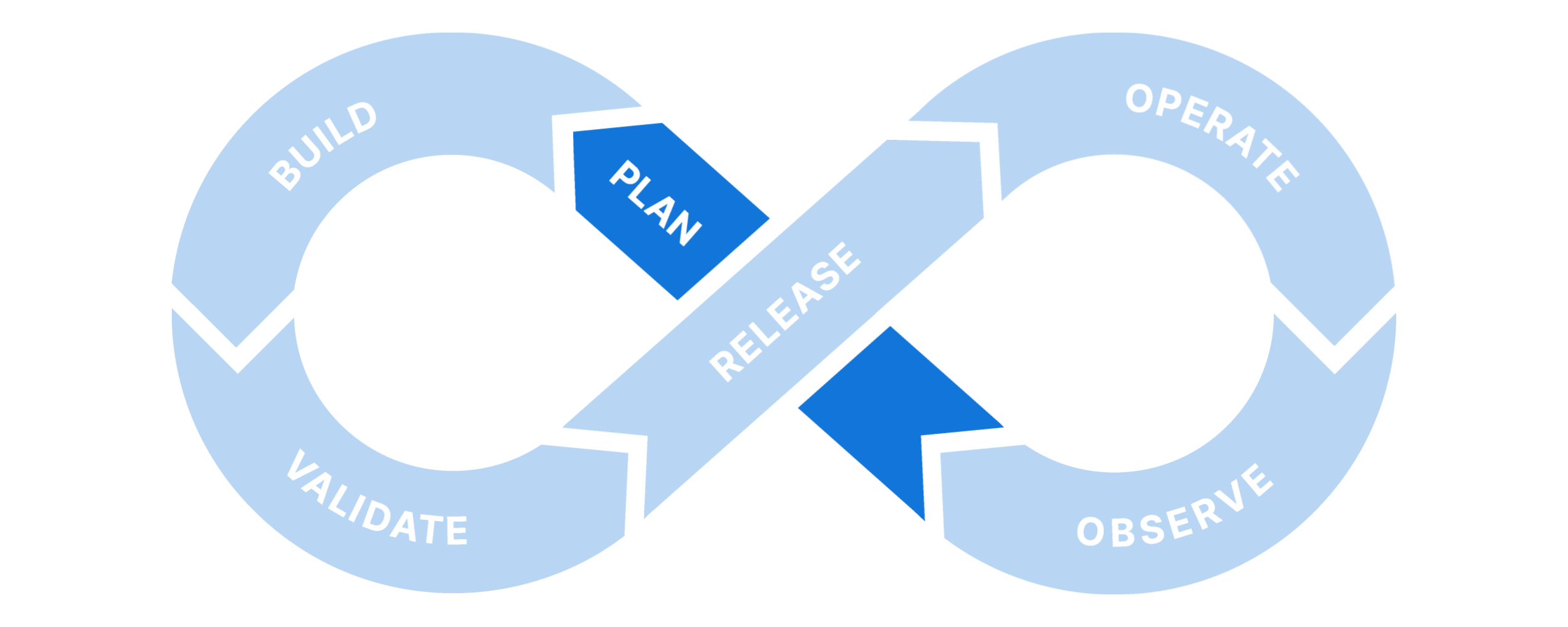
The teams that get UAT right are investing in the plan stage of the DevOps lifecycle, so that work is properly understood before development begins. This is especially important because UAT happens late in the delivery process, and the later problems are found, the more expensive they are to fix. Shifting left and getting the planning stage right means more success at UAT — and that starts with understanding your org.
The SOSFD 2026 report found that 31% of teams cite lack of visibility into org architecture as a delivery blocker. Gearset’s Org Intelligence is designed to give you that understanding before any change is built. It gives you a unified view on every metadata type, configuration, and automation — and how everything connects. So you can see exactly what a proposed change will touch, which dependent components are involved, any related processes that need re-validating, and where the highest-risk areas are. That’s the foundation for meaningful business analysis, accurate test scoping, and acceptance criteria that reflect the actual impact of a change.
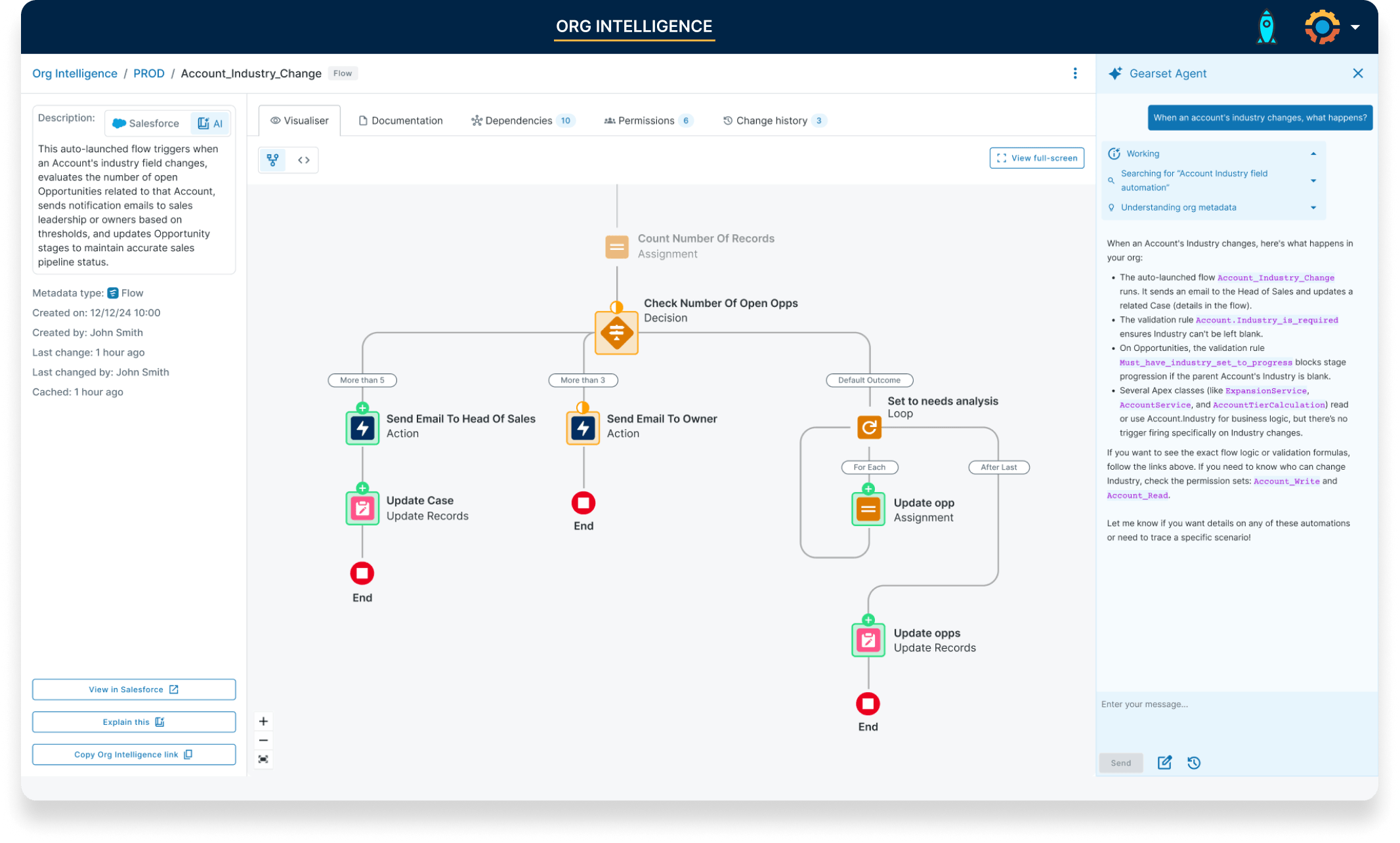
The investigation work that underpins good UAT planning traditionally takes days of manual effort, often spread across multiple people. Org Intelligence compresses that into minutes, making it a realistic part of every release cycle rather than a time-consuming headache. And the abandoned work problem becomes less likely when that investigation takes seconds rather than days.
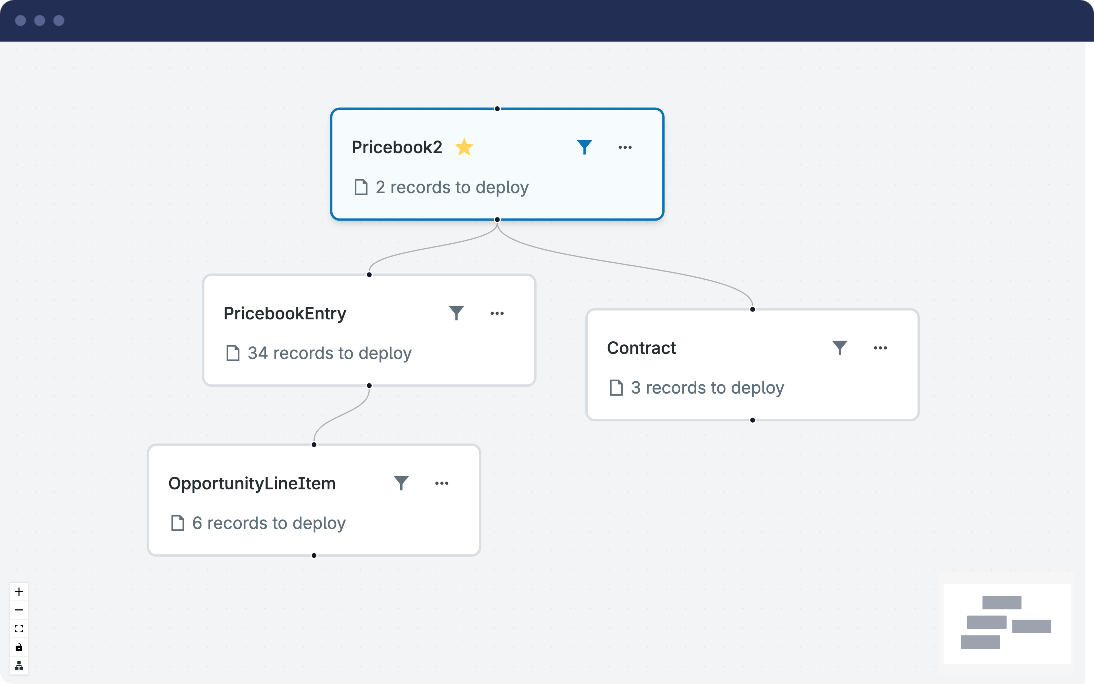
While Org Intelligence gives you greater org visibility, UAT also depends on having realistic data to test against. Gearset’s Sandbox Seeding solves that problem by helping you populate lower environments with realistic, masked data from production, so testers are working against conditions that actually reflect the real world. Together, they remove the two most common reasons UAT planning falls short: not knowing what to test, and not having the right data to test it with.
UAT that actually works
UAT doesn’t have to be the stage where releases stall, confidence erodes, and teams ship things they’re not sure about. The teams that get it right are simply planning earlier, scoping more carefully, and making sure the right people have the right information before testing begins.
With the right visibility into your org and the right data in your test environment, the planning work needed becomes straightforward. If you’re ready to take the guesswork out of Salesforce UAT, start a free 30-day trial or book a demo to see how Gearset can help.

